122 lines
6.9 KiB
Markdown
122 lines
6.9 KiB
Markdown

|
---
|
|||
|
|
page-title: "How to install PostgreSQL on Debian 11"
|
|||
|
|
url: https://linuxhint.com/install-postgresql-debian/
|
|||
|
|
date: "2023-04-19 14:24:01"
|
|||
|
|
---
|
|||
|
|
PostgreSQL (also known as postgres/POSTGRES) is an open-source and advanced level Relational Database Management System (RDBMS). In this post, we have provided the guide to install PostgreSQL on Debian 11: before installation, let’s have a quick look at the features support of PostgreSQL:
|
|||
|
|
|
|||
|
|
## **Notable Features of PostgreSQL**
|
|||
|
|
|
|||
|
|
PostgreSQL supports some distinctive features that allow large scale organizations to adopt it for data processing. Some notable features are listed below:
|
|||
|
|
|
|||
|
|
- **Programming Language:** Extensive support of programming languages that includes Python, Java, C#, Perl, Go.
|
|||
|
|
- **Data Types:** It has huge support of pre-defined datasets while users can create their own data type as well.
|
|||
|
|
- **SQL integration:** Several advanced level features are compatible with PostgreSQL: such as, complex subqueries, table partitioning, nested transactions
|
|||
|
|
- **Security:** For secure processing of data, PostgreSQL uses authentication protocols like Lightweight Directory Access Protocol (LDAP), and provides row/column security as well.
|
|||
|
|
|
|||
|
|
To install PostgreSQL on Debian 11; you can follow any of the following two methods:
|
|||
|
|
|
|||
|
|
**Method 1:** Install PostgreSQL using repository of Debian 11
|
|||
|
|
**Method 2:** Install PostgreSQL using official PostgreSQL repository
|
|||
|
|
|
|||
|
|
We will explain the installation process using both methods: the first method uses the packages from Debian repository whereas the second method will fetch the repository packages from PostgreSQL official package:
|
|||
|
|
|
|||
|
|
## **Method 1: How to install PostgreSQL using repository of Debian 11**
|
|||
|
|
|
|||
|
|
The installation method will direct you to install PostgreSQL using a simple and time saving process by using Debian packages:
|
|||
|
|
|
|||
|
|
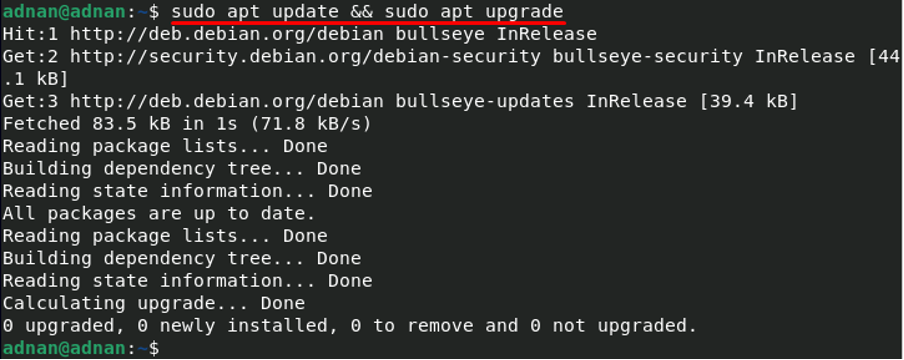
**Step 1: Update and Upgrade the packages list
|
|||
|
|
**It is recommended to update and upgrade the list of packages by issuing the commands mentioned below:
|
|||
|
|
|
|||
|
|
$ sudo apt update && sudo apt upgrade
|
|||
|
|
|
|||
|
|
|
|||
|
|
|
|||
|
|
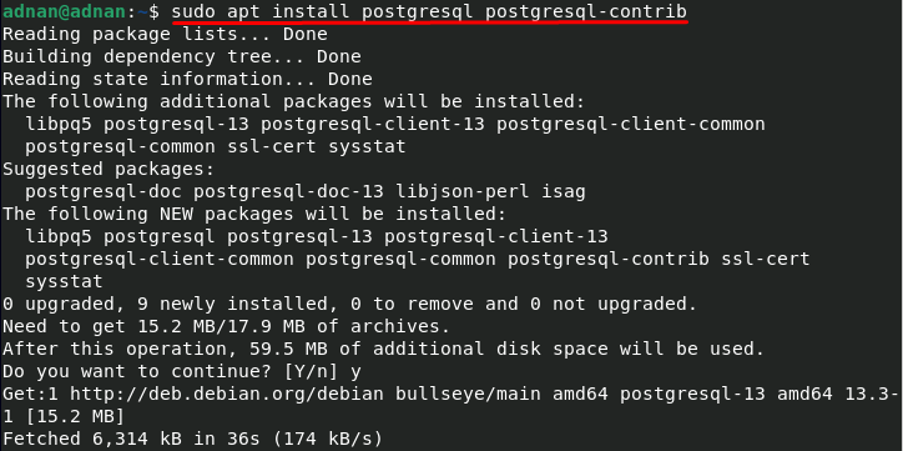
**Step 2: Install PostgreSQL
|
|||
|
|
**The required package resides in Debian repository so you can install it by using “**apt**”: install PostgreSQL by issuing the command mentioned below:
|
|||
|
|
|
|||
|
|
$ sudo apt install postgresql postgresql-contrib
|
|||
|
|
|
|||
|
|
|
|||
|
|
|
|||
|
|
Once PostgreSQL is installed, you can check the status of service by using the command given below:
|
|||
|
|
|
|||
|
|
$ sudo systemctl status PostgreSQL
|
|||
|
|
|
|||
|
|

|
|||
|
|
|
|||
|
|
Moreover, the status of service can be changed by using the following commands:
|
|||
|
|
|
|||
|
|
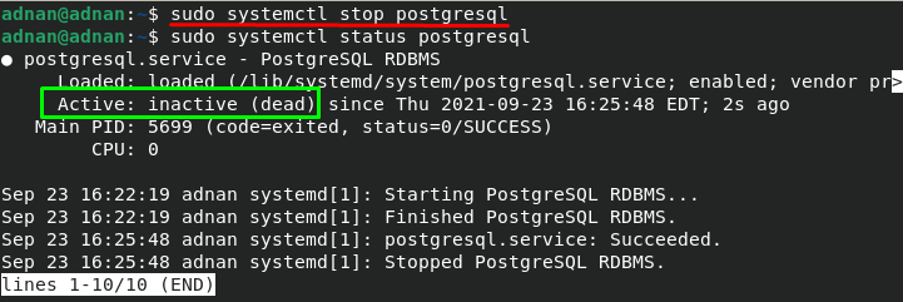
To stop the running PostgreSQL service:
|
|||
|
|
|
|||
|
|
$ sudo systemctl stop PostgreSQL
|
|||
|
|
|
|||
|
|
|
|||
|
|
|
|||
|
|
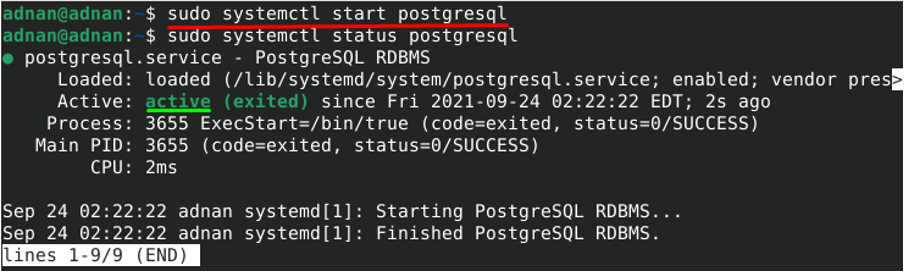
And to start the stopped service:
|
|||
|
|
|
|||
|
|
$ sudo systemctl start PostgreSQL
|
|||
|
|
|
|||
|
|
|
|||
|
|
|
|||
|
|
## **Method 2: How to install PostgreSQL using official repository of Debian 11**
|
|||
|
|
|
|||
|
|
Follow the simple steps mentioned below to add the official repository of PostgreSQL for Debian 11 and then install it; you can follow the steps mentioned below to do so:
|
|||
|
|
|
|||
|
|
**Step 1: Add PostgreSQL repository
|
|||
|
|
**It is recommended to add the official repo of PostgreSQL, so that you get the latest version of packages: firstly, you have to add the GPG signing key of PostgreSQL packages to secure the package repository: you can do so by issuing the command mentioned below:
|
|||
|
|
|
|||
|
|
$ curl -fsSL https://www.postgresql.org/media/keys/ACCC4CF8.asc | sudo gpg --dearmor -o /usr/share/keyrings/postgresql-keyring.gpg
|
|||
|
|
|
|||
|
|

|
|||
|
|
|
|||
|
|
Now, you are ready to add PostgreSQL repository: use the command mentioned below to perform the action:
|
|||
|
|
|
|||
|
|
$ echo "deb \[signed-by=/usr/share/keyrings/postgresql-keyring.gpg\] http://apt.postgresql.org/pub/repos/apt/ bullseye-pgdg main" | sudo tee /etc/apt/sources.list.d/postgresql.list
|
|||
|
|
|
|||
|
|

|
|||
|
|
|
|||
|
|
**Step 2: Installation of PostgreSQL
|
|||
|
|
**After successful integration of PostgreSQL library you are ready to install it: but before this, it is recommended to update the system’s repository by using the command mentioned below:
|
|||
|
|
|
|||
|
|
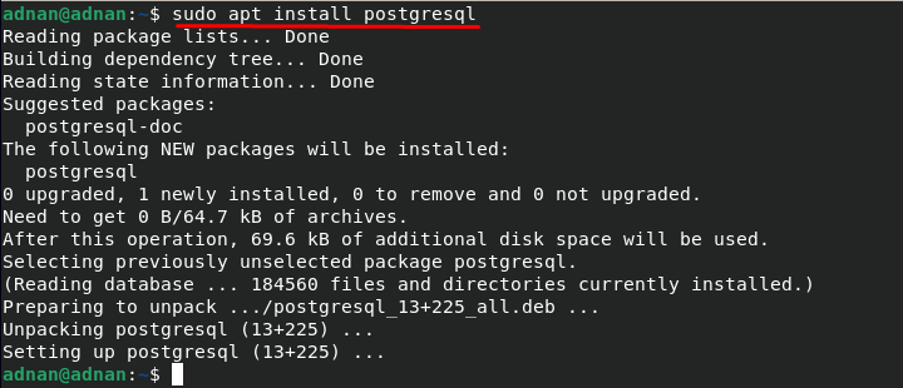
Install PostgreSQL with the help of below-mentioned command:
|
|||
|
|
|
|||
|
|
$ sudo apt install PostgreSQL
|
|||
|
|
|
|||
|
|
|
|||
|
|
|
|||
|
|
## **How to create database using PostgreSQL in Debian 11**
|
|||
|
|
|
|||
|
|
PostgreSQL can be used as a postgres user only, if you set a password; otherwise you will not be able to log in as a postgres user: Use the following command to set up a password:
|
|||
|
|
|
|||
|
|

|
|||
|
|
|
|||
|
|
To create database in PostgreSQL, you must login to PostgreSQL server and then access its shell; use the following command to log in as a postgres user: it will ask for password; type your password and hit enter:
|
|||
|
|
|
|||
|
|
Now access the shell using postgres user by issuing the following keyword:
|
|||
|
|
|
|||
|
|

|
|||
|
|
|
|||
|
|
Once you have accessed the command shell of Postgres, you can now use SQL queries to perform several database related operations:
|
|||
|
|
|
|||
|
|
For instance, we want to create a database “**linuxhint**”; for that, we will use the following SQL query to do so:
|
|||
|
|
|
|||
|
|

|
|||
|
|
|
|||
|
|
To access the database log in as postgres user and use the following command to access database “**linuxhint**”:
|
|||
|
|
|
|||
|
|

|
|||
|
|
|
|||
|
|
**Note:** You can fall back to the postgres user by using “**\\q**”:
|
|||
|
|
|
|||
|
|
You can now add, delete, select data from the database by accessing the database on terminal. Moreover, to drop a database you have to come out of database by using “**\\q**” and then use the following command:
|
|||
|
|
|
|||
|
|

|
|||
|
|
|
|||
|
|
And if you try to access database “**linuxhint**”; the shell will display an error that “**linuxhint**” does not exists:
|
|||
|
|
|
|||
|
|

|
|||
|
|
|
|||
|
|
## **Conclusion**
|
|||
|
|
|
|||
|
|
PostgreSQL is a widely used Relational Database Management System used by several large companies ranging from large to medium size strength. Although it is a relational database it supports JSON for non-relational querying that makes PostgreSQL a favorite choice of organizations. This post provides the installation guide of PostgreSQL for Debian11, two methods are described here. Method 1 enables you to install PostgreSQL from Debian own’s packages repository, on the other hand you can follow Method 2 to get the updated PostgreSQL from its official repository.
|